
Releases
Changelog
2.1 builds on the 2.0 foundation with a much stronger osu!lazer workflow, richer Overview tools, faster checks, smaller updates, and a batch of new and updated checks across all modes.
First-launch setup
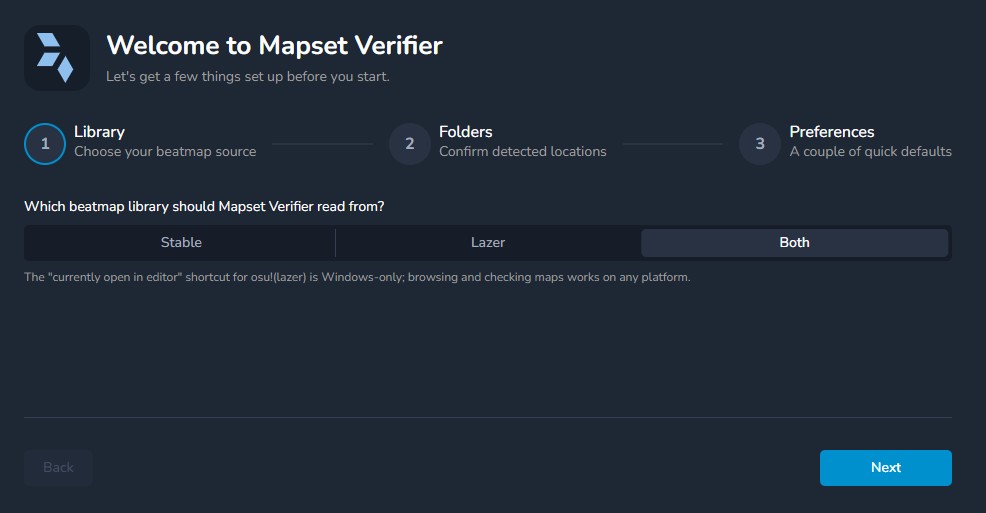
A short setup wizard now walks you through getting started: pick a beatmap library (stable, lazer, or both), confirm your Songs and/or lazer data folders, and choose a couple of preferences.
This also shows up for existing installs that never completed setup, so your folders and library choice are in a good place before you start checking.
osu! lazer support
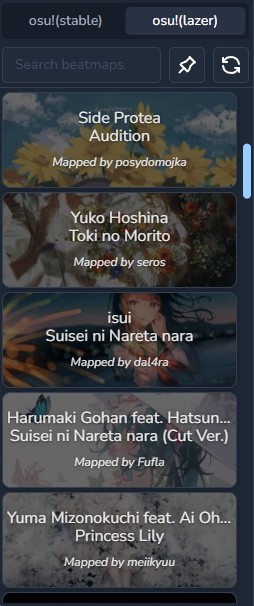
Lazer support is no longer experimental. You can browse and check lazer beatmaps directly, no need to export them for external editing first.
When both clients are enabled, the sidebar remembers whether you last used stable or lazer. Current-map detection also works from the lazer editor, so the map you have open shows up the same way it already did for stable.
Star rating and strain
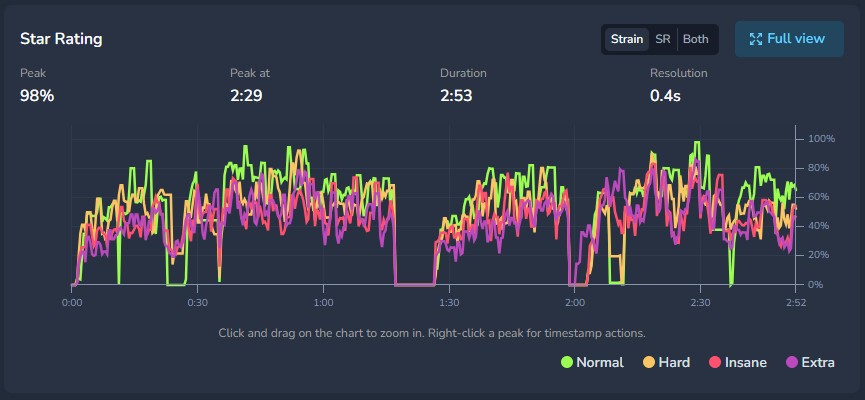
The Difficulty tab's star rating chart has been reworked. You can switch between strain, star rating, or both, isolate difficulties from the legend, and zoom into any section.
Strain is weighted by each skill's real contribution to star rating, so a skill that barely affects the rating no longer dominates the graph. The calculations now match osu-tools' PerformanceCalculatorGUI and is what users were used to in Mapset Verifier v1.
Video
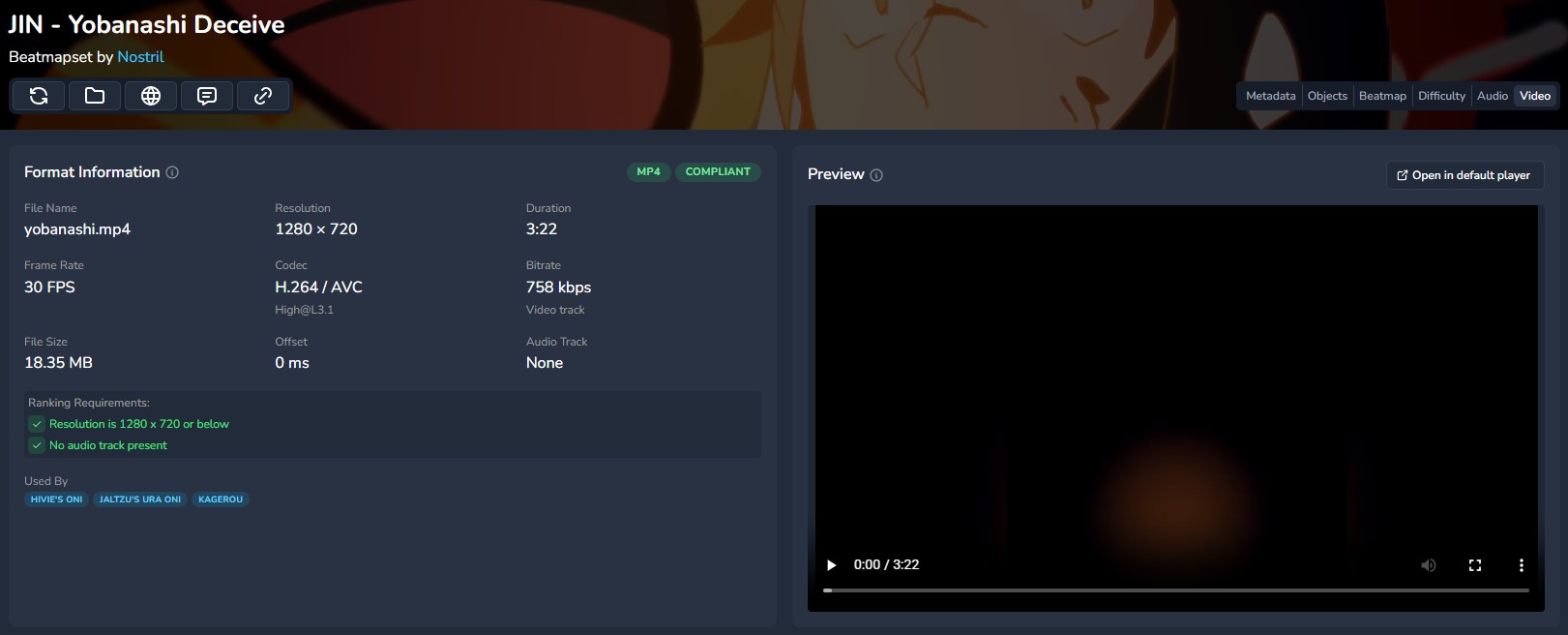
Overview now has a Video tab, in the same spirit as the Audio tab from 2.0.
You can inspect format details: resolution, codec, bitrate, duration, offset, and whether the file meets ranking requirements, and preview the video without leaving MV.
Mania column usage
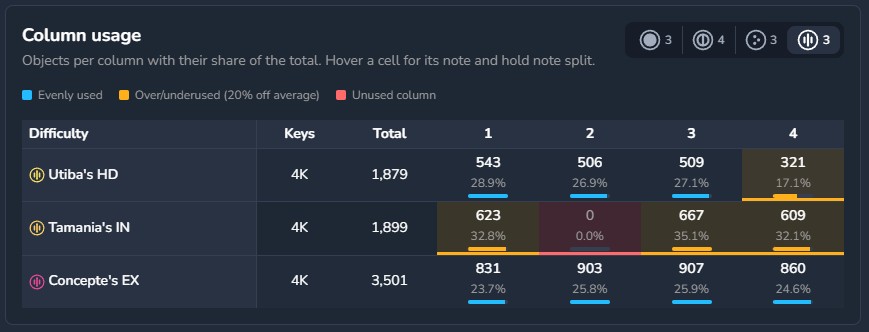
For mania mapsets, the Objects tab now includes a column usage overview: per-difficulty object counts for each column, with unused or heavily uneven columns highlighted.
The matching column usage check now treats over- or underused columns as warnings rather than problems, so unused columns stay the ones that actually block ranking.
Faster, and a smaller download
Checks and beatmap loading are noticeably quicker. Song library loading is fast for both stable and lazer, and an audio cache avoids re-decoding the same files on every check run. Several of the heavier checks (wrong snap, hitsound delay, and burai among them) are also cheaper than they were in 2.0.
The installer is down from about 280 MB to about 170 MB. Future updates will also be significantly smaller; instead of downloading the full installer every time, the updater now only downloads the parts of the update that have actually changed, reducing the size to mere megabytes!

Checks
A lot of new and updated checks landed in this release:
- Score and combo overflow against stable's limits
- Hitsound consistency across difficulties, now for osu!, osu!catch, and osu!mania
- Slider-only sections on Easy and Normal
- Difficulty settings guideline ranges for osu! and catch
- Beatmap skin element completeness for all modes
- A reminder to use a free-to-use background when the Mappers' Guild tag is present
- Taiko base SV progression, plus a more accurate close barlines check in place of the old double barline check
- osu!catch dash and hyperdash calculations, so movement checks (including edge dashes) match how the mode actually plays
- More accurate offscreen detection, including borderline cases within a pixel of the screen edge
- Drain time spread thresholds updated to the current ranking criteria
In addition, the issue details drawer can now be turned off from Checks settings. When it's off, issues no longer open the drawer on click.
Fixes and improvements
Several existing checks and UI issues were cleaned up along the way:
- The guest tag check now matches stylised brackets
- The unused lines check points at the right issues
- Unsnapped objects no longer claim they were visible in AIMod when they weren't
- The MP3 bitrate check no longer treats some files as OGG, and no longer flags hitsound files
- The invisible slider check no longer flags sliders that are actually visible
- Folder settings no longer reset on older or slower machines
- Certain setting switches no longer crash the app
- Empty
.osufiles are handled correctly - Metadata parsing no longer breaks on invalid or placeholder beatmap IDs
- Difficulty graph lines use the same colour as their difficulty level
- The hitsound timeline comparison shows the correct hitnormal sample
- Added an experimental setting to choose how timestamp clicks launch: the currently open client, osu!(stable), osu!(lazer), or a custom command instead of whichever app owns
osu://